
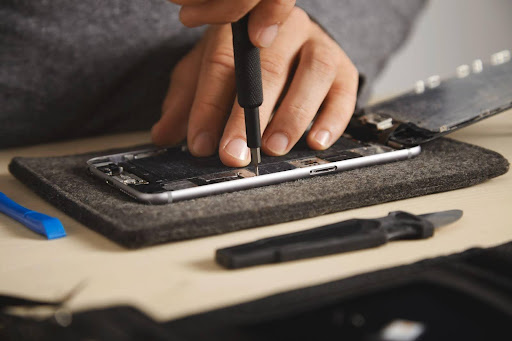
Samsung smartphones are known for their innovation, sleek design, and reliable performance. However, even these devices are prone to issues due to accidental damage, software glitches, battery wear, or environmental factors. Recognizing the causes and knowing how to address them can save both time and money.
Many users attempt minor fixes themselves, but some problems require careful handling to prevent further damage. Accessing a trusted Samsung service centre ensures that the phone continues to perform as intended. This article explores common Samsung phone problems, practical solutions, and the importance of professional repair services.
Common Samsung Phone Problems
Even the most reliable Samsung devices can face issues over time. From accidental damage to software glitches, these problems can affect performance, usability, and user experience. Understanding the common issues that occur with Samsung phones and how to address them can help you make informed decisions, avoid repeated repairs, and maintain your device for longer.
Cracked or Broken Screens
Accidental drops or impacts can shatter a phone’s display, affecting usability and sometimes internal components. Cracks may also worsen over time if ignored.
How to address it:
- Avoid using the damaged screen to prevent further harm.
- Replace the screen with a compatible, high-quality component.
- Test the touch sensitivity and display quality after replacement.
Using protective cases and tempered glass can help prevent this issue in the first place.
Battery Problems
Samsung phone batteries degrade naturally over time, leading to rapid drainage, unexpected shutdowns, and slow charging.
Steps to resolve battery issues:
- Identify apps or settings causing excessive power consumption.
- Replace aging batteries with certified components.
- Calibrate the battery for accurate readings and optimal performance.
Proper charging habits, avoiding extreme temperatures and full discharges, also help extend battery life.
Water and Moisture Damage
Even water-resistant phones can be affected if exposed to liquids for extended periods. Symptoms include unresponsive screens, audio issues, and erratic behavior.
Immediate actions:
- Power off the phone and remove external accessories.
- Dry the exterior with a soft cloth.
- Have the internal components inspected and cleaned as necessary.
Prompt action is essential to prevent permanent damage.
Software Glitches
Software problems often appear as freezing, slow performance, or app crashes. Updates, conflicts, or corrupted files are common causes.
Ways to address:
- Restart the device and update the software.
- Clear app caches and uninstall problematic apps.
- Back up data and perform a factory reset if necessary.
Identifying the root cause prevents temporary fixes that might not resolve the issue fully.
Connectivity Issues
Problems with Wi-Fi, Bluetooth, or mobile networks can interfere with communication and daily use.
Solutions include:
- Restart the phone and network equipment.
- Reset network settings.
- Update software to address bugs or compatibility issues.
Persistent connectivity problems may indicate internal hardware faults that need careful handling.
Overheating and Performance Slowdowns
Heavy app usage or multitasking can cause phones to overheat and slow down. Performance drops can also result from accumulated data or outdated software.
Addressing performance issues:
- Close unnecessary background apps.
- Free up storage by removing unused files.
- Update the device to the latest software version.
Regular monitoring and maintenance can prevent these problems from escalating.
Charging Port and Accessory Problems
Charging issues can stem from blocked or damaged ports or faulty cables. Accessories may not function correctly if incompatible.
Steps to resolve:
- Inspect and clean the charging port.
- Use certified chargers and cables.
- Replace the port if necessary.
Keeping ports clean and avoiding untested accessories helps prevent these issues.
Camera and Sensor Problems
Camera apps freezing, blurry images, or unresponsive fingerprint sensors are common complaints.
How to handle:
- Restart the app or device.
- Clear the app cache and ensure software is up to date.
- Replace damaged components if necessary.
These solutions ensure functionality is restored without affecting other parts of the device.
Why Professional Samsung Phone Repair Matters
While some problems seem minor, mishandling repairs can lead to more serious damage. Visiting a trusted Samsung service centre ensures that issues are diagnosed accurately and handled safely.
Key reasons professional repair is important:
- Accuracy in Diagnosis: Technicians use specialized tools to identify the root cause of issues, whether it’s hardware or software related. Misdiagnosis can result in unnecessary replacements or persistent problems.
- Safe Handling of Components: Samsung phones contain delicate internal parts, such as the motherboard and sensors. Professionals have the experience and equipment to disassemble and repair without causing additional harm.
- Genuine Replacement Parts: Using authentic components ensures the phone performs as intended, maintains warranty coverage, and reduces the risk of further malfunctions.
- Data Protection: Many issues, especially software or battery-related problems, can risk data loss. Professional repair centers take precautions to safeguard personal information.
- Long-Term Reliability: Proper repairs extend the life of your device, preventing repeated failures from improper fixes.
Example: Replacing a battery without proper calibration or tools may lead to overheating or swelling. Similarly, a poorly installed screen can affect touch sensitivity, display clarity, or even damage other components over time. These scenarios highlight why relying on trained technicians is often the safer, more cost-effective option.
Tips to Reduce Samsung Phone Repairs
Preventive care can minimize the likelihood of costly repairs:
- Use a sturdy case and tempered glass protector to guard against drops.
- Avoid exposing your phone to water, dust, or extreme temperatures.
- Charge the device with certified chargers and avoid overcharging.
- Regularly clear unused apps and cached files to improve performance.
- Handle the phone carefully to reduce accidental damage.
These simple steps help maintain performance and reduce repair needs.
Emerging Trends in Samsung Phone Repair
Technology and repair services continue to evolve to meet consumer needs:
- Eco-Friendly Practices: Recycling old components and using sustainable materials is increasingly common.
- Technician Training: Ongoing training ensures expertise with new Samsung models.
Conclusion
Samsung smartphones are advanced, but cracks, battery wear, water exposure, and software issues are common. While minor issues can be addressed at home, proper repair ensures safety, functionality, and longevity.
If you are looking for expert solutions for your Samsung device, NZ Electronics Repair provides comprehensive solutions, including same-day Samsung phone repair service, quality diagnostics, and genuine replacement parts. Whether it’s a cracked screen, battery replacement, or software troubleshooting, their team restores devices efficiently while maintaining performance and reliability.